Test Management
Test management is built into Windshift, so test cases, test sets, test runs, and results stay in the same workspace as the work they validate. There is no separate tool, login, or integration to maintain.

Test cases
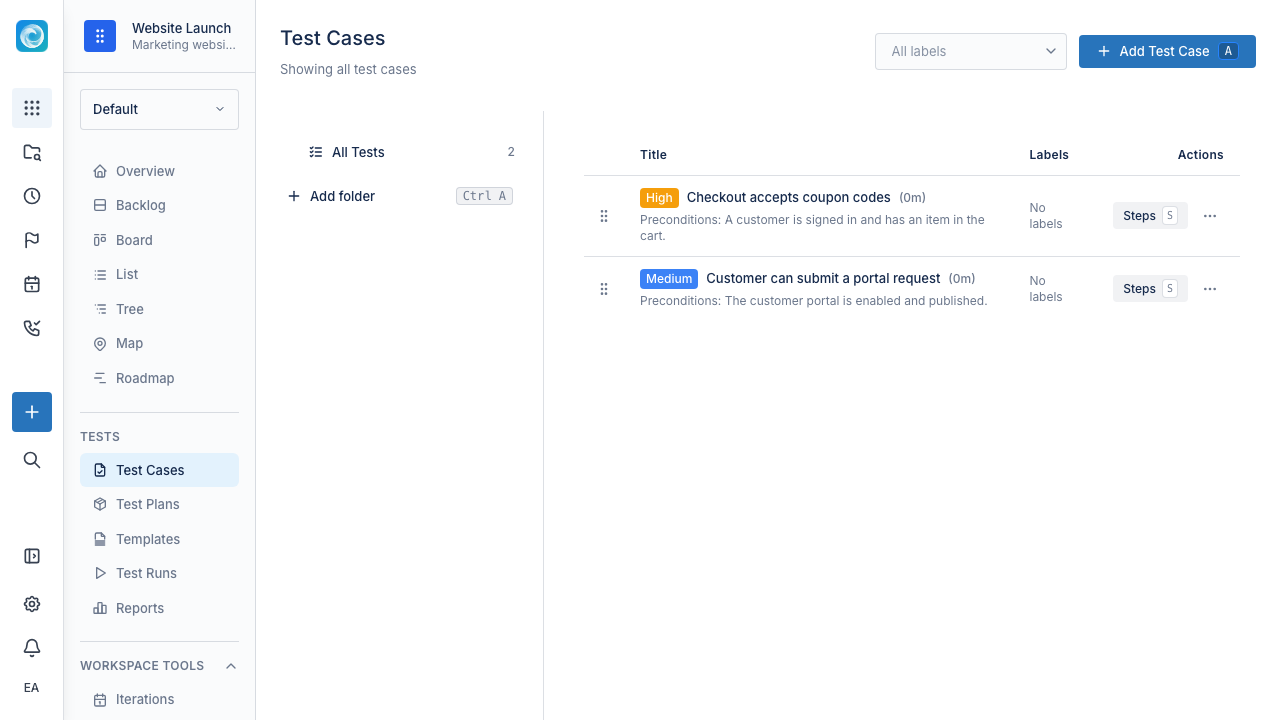
A test case describes something that should be checked. A useful test case has:
- A goal
- Preconditions
- Steps with expected results per step
- An overall expected outcome
- Optional labels and attachments
Test cases live in folders (hierarchical) and can be tagged with labels for cross-folder grouping. You can clone an existing case as a starting point for a new one.
Good test cases are focused. They should be specific enough to repeat, but not so detailed that every small product change makes them obsolete.
Test sets
A test set bundles related test cases that are commonly executed together. Examples:
- Smoke test
- Regression test
- Release candidate checklist
- Customer onboarding checks
- Payment flow checks
A test set is reusable: the same set can be run for every release without rebuilding it.
Test runs
A test run is the execution of a set of cases on a specific build, environment, or release. During a run you:
- Step through each case
- Mark each result as Pass, Fail, Blocked, or Skipped
- Add notes and attachments per result
- Create a defect (work item) directly from a failing step
You can also create reusable test run templates so the next release starts from the same configuration.
Link failures to work items
When a test fails, create or link a work item for the defect or follow-up directly from the failed step. The defect lands in the same backlog and board as delivery work, so quality work does not get lost in a separate tool.
Traceability
Linking test cases to work items gives you coverage in both directions:
- Open a requirement to see which test cases cover it.
- Open a test run to see which defects came out of it.
- Open a release iteration to see what is still unverified.
Why keep testing with work management
Because tests and work share the same data model, you can answer questions that are awkward in separate tools:
- Which requirements have coverage and which do not?
- Which bugs were introduced in this release cycle, and which were caught before ship?
- What still needs to be verified before release?
- Which areas of the product fail repeatedly?
Practical tips
- Keep test cases focused and re-runnable.
- Group repeatable checks into a small number of named sets.
- Always link failed steps to work items, even if the fix is trivial.
- Review recurring failures after each run, not just the first time.
- Update or delete stale test cases as the product changes. Outdated tests erode trust in the suite.