Your First Project
This walkthrough helps you set up a workspace and start tracking real work.
1. Create a workspace
Create a workspace for the team, product, or initiative you want to manage. Give it a name your team will recognize. Select the item types and workflow you want to use. You can change them later.
Good first workspaces:
- Website redesign
- Mobile app
- Customer support
- Internal platform
- Customer implementation
Each workspace has its own backlog, board, item types, workflow, members, custom fields, pages, tests, and settings.
2. Add your first work items
Start with a small set of real work. Do not model your entire process on the first day.
Useful first work items:
- A task someone is already working on.
- A bug that needs triage.
- A feature idea for the backlog.
- A follow-up from a customer conversation.
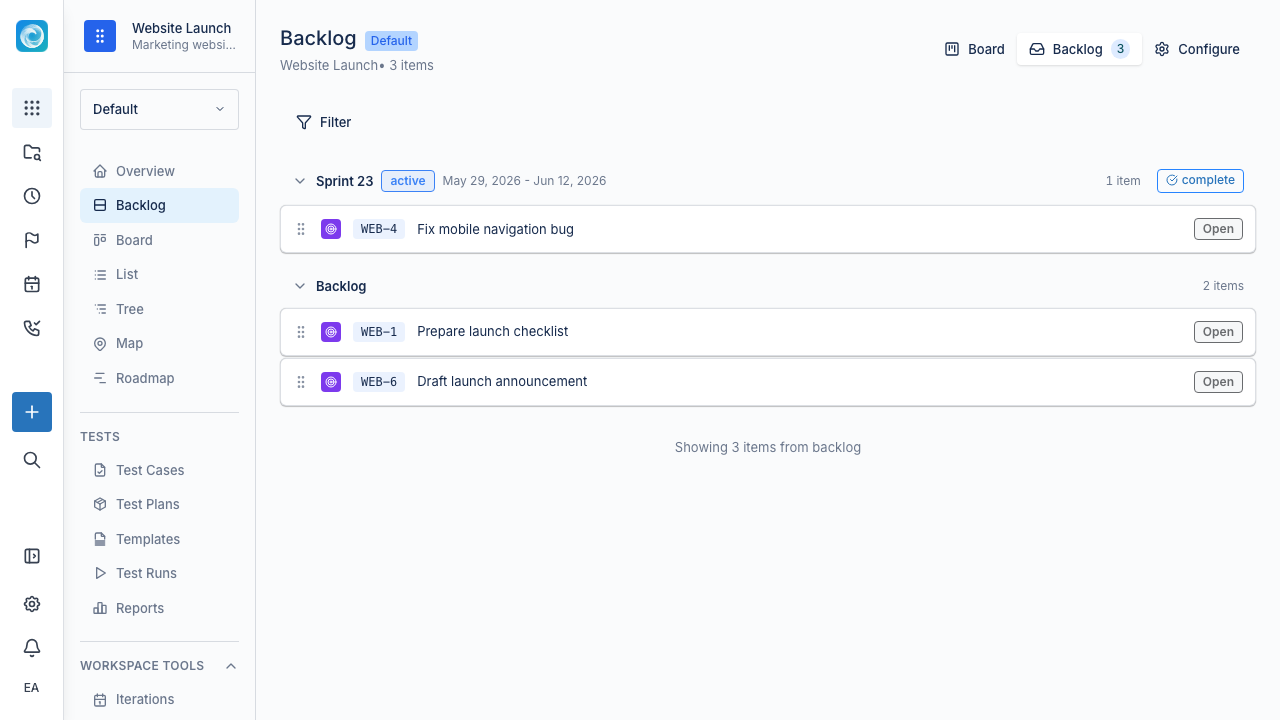
3. Use the backlog for upcoming work
Use the backlog to collect and prepare work before it becomes active. It contains items without an iteration. Add enough context for someone else to understand the item later.
At a minimum, give each item:
- A clear, action-oriented title.
- A short description of the expected outcome.
- A priority or ordering position.
- An assignee when ownership is clear.
4. Move active work into delivery
When the team is ready to deliver an item, assign it to the current iteration. You can also move it directly to an active status. The board shows each item in the workflow, such as To Do, In Progress, Review, or Done.
If your team does not use iterations, work from the board. Pull items from the top of the backlog and change their status as work progresses.
5. Open work items for details
Open an item to discuss it, update fields, change status or priority, log time, link related items, attach files, or inspect history. The detail view contains the full work context.
6. Keep the first setup simple
Windshift supports custom item types, fields, workflows, customer portals, tests, pages, time tracking, and integrations. For a first project, keep the process small:
- Create the workspace.
- Add real work.
- Keep statuses current.
- Review the backlog regularly.
- Add more structure (item types, custom fields, iterations, portals) only when the team needs it.