Overview
Windshift is a self-hosted work management platform. Use it to plan, track, and discuss work.
This guide explains the main product concepts and common workflows. It shows how work moves from an idea to done.
What you can do in Windshift
Windshift lets you:
- Create workspaces for teams, products, customers, or initiatives.
- Track tasks, bugs, ideas, and requests as work items.
- Plan and deliver work with backlogs, boards, lists, trees, calendars, and roadmaps.
- Group related work in query-defined collections.
- Link related work items.
- Organize delivery with milestones and iterations, such as sprints and releases.
- Log time against work items, projects, and customers with a built-in timer.
- Manage test cases, test plans, test runs, and reports next to the work they validate.
- Publish customer portals where external users submit and follow requests.
- Keep knowledge pages next to the work they describe.
- Delegate work to AI coding agents that open pull requests. You can also use the built-in AI assistant.
- Use the installable mobile app and push notifications.
Key concepts
Workspaces
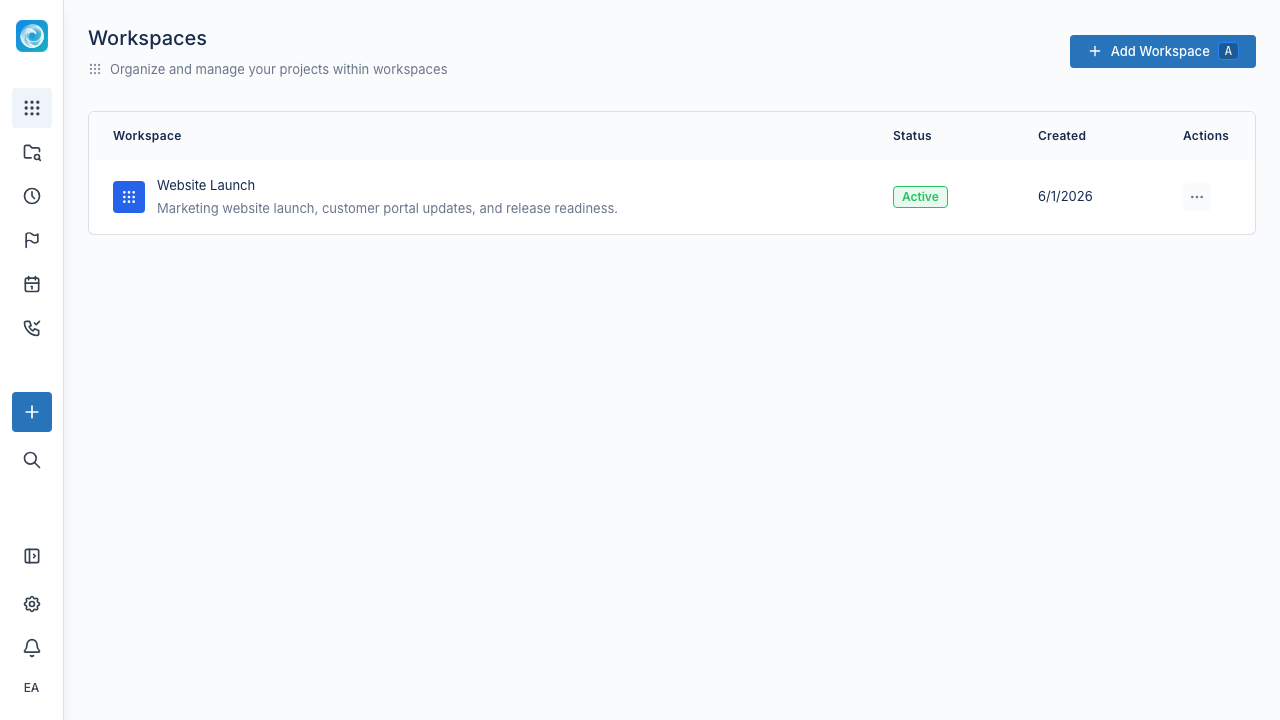
A workspace is a self-contained place for related work. Most teams create one for each product, customer engagement, department, or major initiative. Each workspace has its own backlog, board, item types, workflow, custom fields, members, tests, pages, and settings.
Work items
A work item is anything your team needs to track. You can configure item types such as Bug, Story, Task, and Epic. Each type has its own icon, color, fields, and workflow. You can link work items and arrange them in parent-child hierarchies. An Epic can contain Stories, and Stories can contain Tasks.
Views
A view shows the same work in a different way. The board shows flow by status. The backlog supports prioritization. The list is dense and sortable. The tree shows hierarchy. The calendar shows scheduled work on a weekly grid. The roadmap shows milestones and iterations over time.
Collections
Collections are saved queries written in CQL (Collection Query Language). A collection does not store items. It describes them. Windshift updates it when work items start or stop matching the query. A collection can drive a board, list, calendar, or roadmap.
Collections are how you build things like "release candidates," "customer escalations," or "frontend work in progress" without manually maintaining a list. See Collections for details, including how they compare to Jira filters.
Workflows
Workflows define the statuses a work item can move through, such as To Do, In Progress, Review, and Done. They also define the allowed transitions. Status categories apply the same color coding across workspaces. Configure workflows visually for each workspace.
Iterations and milestones
Iterations are time-boxed work groups, such as sprints or releases. Milestones are dated goals that work items roll up into. Use both for delivery planning and progress reporting.
Configuration
Item types, workflows, statuses, fields, screens, and permissions are configurable. Admins use configuration sets to apply a consistent setup across workspaces.
Where to start
If you are new to Windshift, start with Your First Project, then read Work Items and Boards and Backlogs.
If you administer Windshift
Installation, deployment, authentication, plugins, and server configuration live in the Self-hosting guide.