Collections
A collection is a saved query for a set of work items. You write the query in CQL (Collection Query Language). Windshift updates the collection as items are created, edited, or moved.
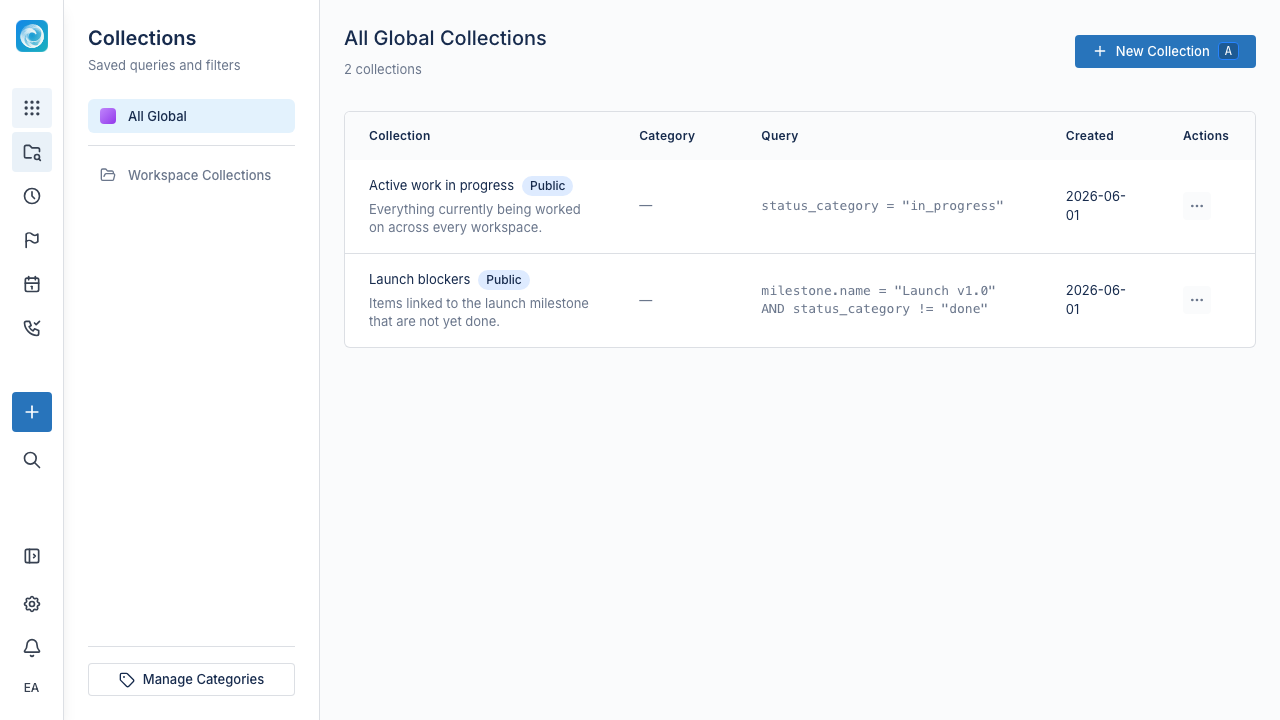
Collections are global. They exist outside workspaces, so one collection can match items across every workspace you can access. Collections are shared, not private to their creator. The team can use the same named work slice.
Use collections to group work across workspaces, iterations, or item types. For example:
- "Open bugs assigned to me across every workspace"
- "Release candidates targeted for the next two weeks"
- "Escalations from customers on the Enterprise plan"
- "Frontend work in progress"
- "Items blocked for more than 5 days"
You can point a board, list, calendar, or roadmap to a collection, not only a workspace.
How collections work
A collection has three parts:
- A name and optional description that explain its purpose.
- A CQL query that defines membership.
- A default view, such as a board, list, calendar, or roadmap.
Write the query once. Windshift then updates the collection. When a bug closes, it leaves the "Open bugs" collection. When a new bug matches the query, it appears.
Collections vs Jira filters
If you use Jira, collections may look like saved JQL filters. They work differently:
| Jira filter | Windshift collection | |
|---|---|---|
| Definition | JQL query | CQL query |
| First-class object | No, a saved search owned by a user | Yes, a top-level object alongside workspaces and pages |
| Ownership | Owned by the user who created it | Shared, not owned by a single user |
| Powers other features | Provides the data source for boards and dashboards | Can drive any view directly: board, list, calendar, roadmap, tree |
| Default view | Always the issue navigator | You choose (board, list, calendar, roadmap, etc.) |
| Sharing | Per-filter share settings, with private filters as the default | Shared by default, no private-per-user mode |
| Scope | Site-wide; filters can reach across projects | Global; queries can reach across every workspace |
| Updates | Live, on each search | Live, continuously |
In Jira, a filter is a saved search that supplies a board. In Windshift, a collection is the work set you want to view. The view controls how Windshift renders it.
When to use a collection
Use a collection when:
- You run the same filter repeatedly.
- A team or person works across more than one workspace, iteration, or item type.
- You need a board, list, or calendar that updates as items change.
- You want to share a work view with a stakeholder without teaching the filter UI.
For a temporary filter in one workspace, use the list or board filters. Save the filter as a collection when it becomes recurring.
Tips
- Name the outcome, not the rule. "Release candidates this week" is clearer than "type = Story AND fixVersion = 1.4".
- Keep queries narrow. Split a collection that grows beyond one screen.
- Select the right default view. A "due this week" collection fits a calendar better than a list.
- Archive or delete collections no one uses. Stale collections create confusion.