Command Palette and Shortcuts
The command palette is a search box for actions and navigation. Open it with Cmd+K (macOS) or Ctrl+K (Windows and Linux), or press Space twice.
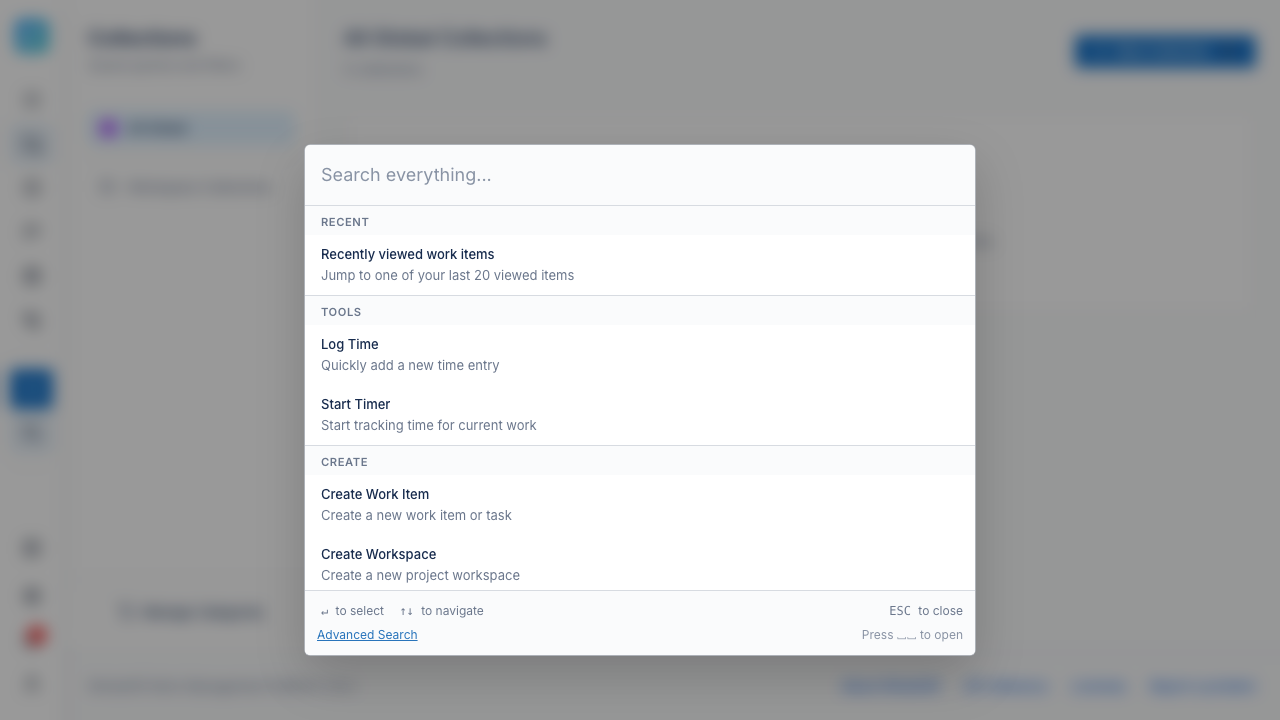
Commands
The palette lists commands from every area:
- Navigation: workspaces, search, dashboard, milestones, channels, collections, analytics, and the admin panel.
- Create: a work item, workspace, milestone, or collection.
- Time: log time, start or stop the timer, and open time reports and projects.
- Tests: test cases, plans, templates, runs, and reports.
- Admin: open an admin page.
- Workspace: configure the board and open workspace settings.
- Search: find work items, pages, and other content as you type.
- Recently viewed: items you opened recently.
Type part of a command name to filter the list. Select a command to run it.
Global shortcuts
| Shortcut | Action |
|---|---|
| Cmd+K / Ctrl+K | Open the command palette. |
| Space, Space | Open the command palette. |
| C | Open the create menu. |
| Cmd+J / Ctrl+J | Open AI Chat. |
| Cmd+Enter / Ctrl+Enter | Submit a form or run a query. |
| Escape | Close a dialog or cancel. |
Page shortcuts
On many pages, A adds a new entry. Examples are a work item, a project, a milestone, or a collection. Escape cancels a form.