Search
Search finds work items across all workspaces. Open Search in the sidebar, or open the command palette and select Search.
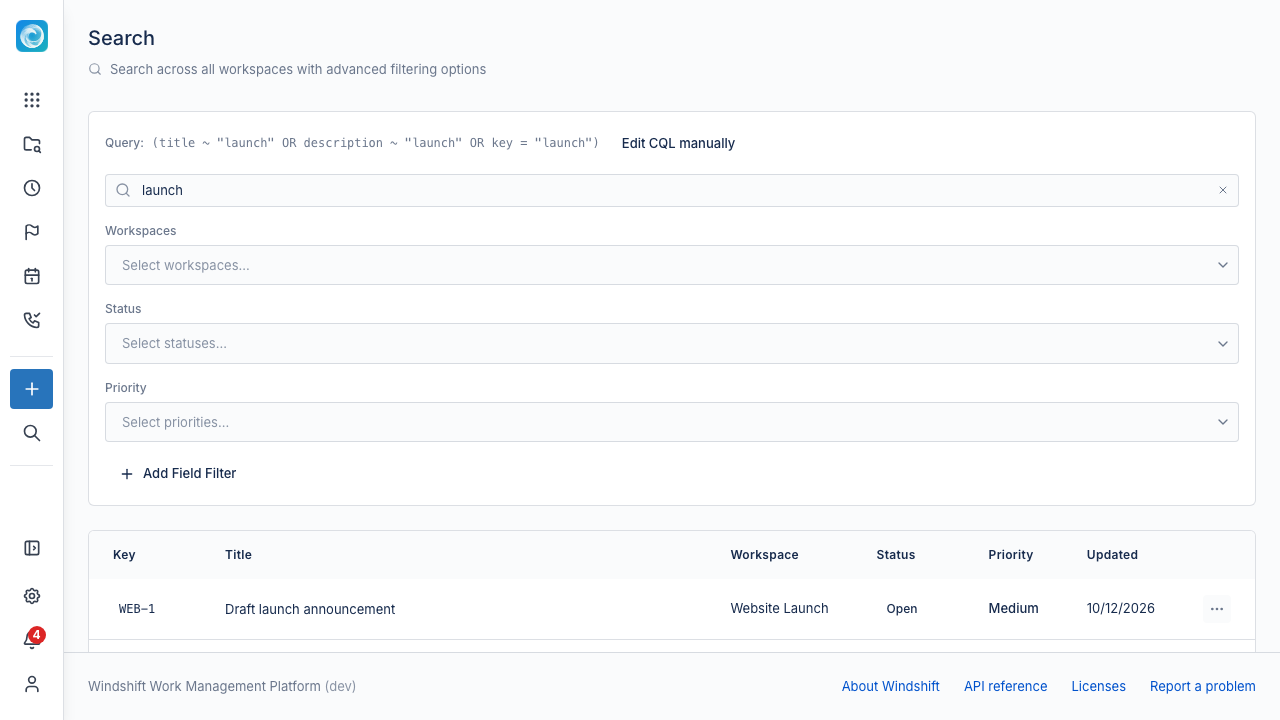
Build a query
The query bar has two modes:
- Builder uses the filter panel.
- Raw lets you write a query directly.
Switch between the modes from the query bar. Raw mode uses the same query language as collections.
Filters
The filter panel supports:
- Workspaces.
- Statuses.
- Priorities.
- Dynamic filters for custom fields.
Combine filters to narrow the results. Search results respect your permissions, so you see only items you can access.
Results
The results table lists the matching work items. Select a row to open the item. Use the pagination controls to move through a large result set.