Iterations
An iteration is a time-boxed period for a set of work. Examples are a sprint, a week, or a release cycle. Each iteration has a start date, an end date, and a status.
Open Iterations in the main navigation. Iterations also appear on the backlog and the roadmap view.
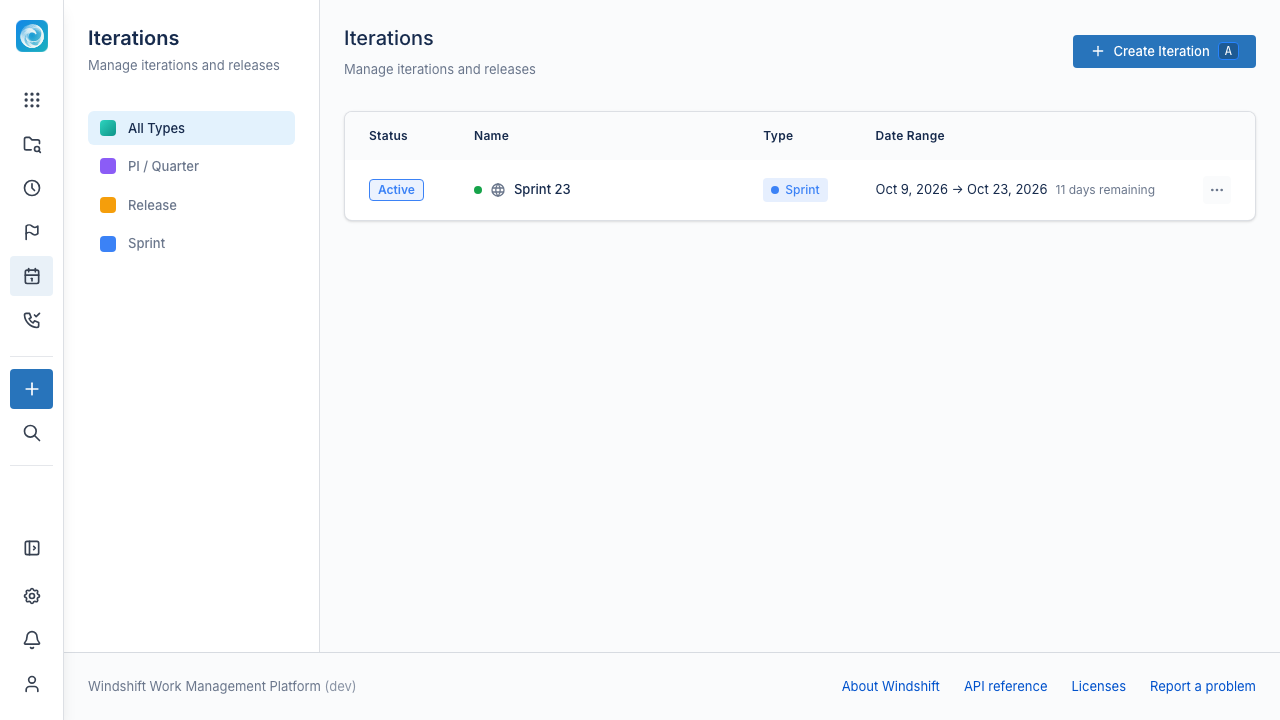
Iteration fields
| Field | Description |
|---|---|
| Name | For example, "Sprint 1", "Q1 2025", or "Release 2.0". Required. |
| Start date and end date | The time box. Required. The end date must be after the start date. |
| Type | A category such as Sprint, PI / Quarter, or Release. Required. |
| Status | Planned, Active, Completed, or Cancelled. |
| Description | Optional goals. |
| Scope | Global or local to one workspace. |
Iteration types
Every iteration has a type. Windshift ships with Sprint, PI / Quarter, and Release types. The Iterations page can filter by type.
Global and local iterations
A global iteration is visible across all workspaces. A local iteration belongs to one workspace.
Creating a global iteration needs the iteration.manage global permission. A local iteration needs edit access in the workspace. See Global Permissions.
Start an iteration
A new iteration starts as Planned. Start it from the iteration section of the backlog to set it to Active. The active iteration is the one the team works in now.
Track progress
Open an iteration to see:
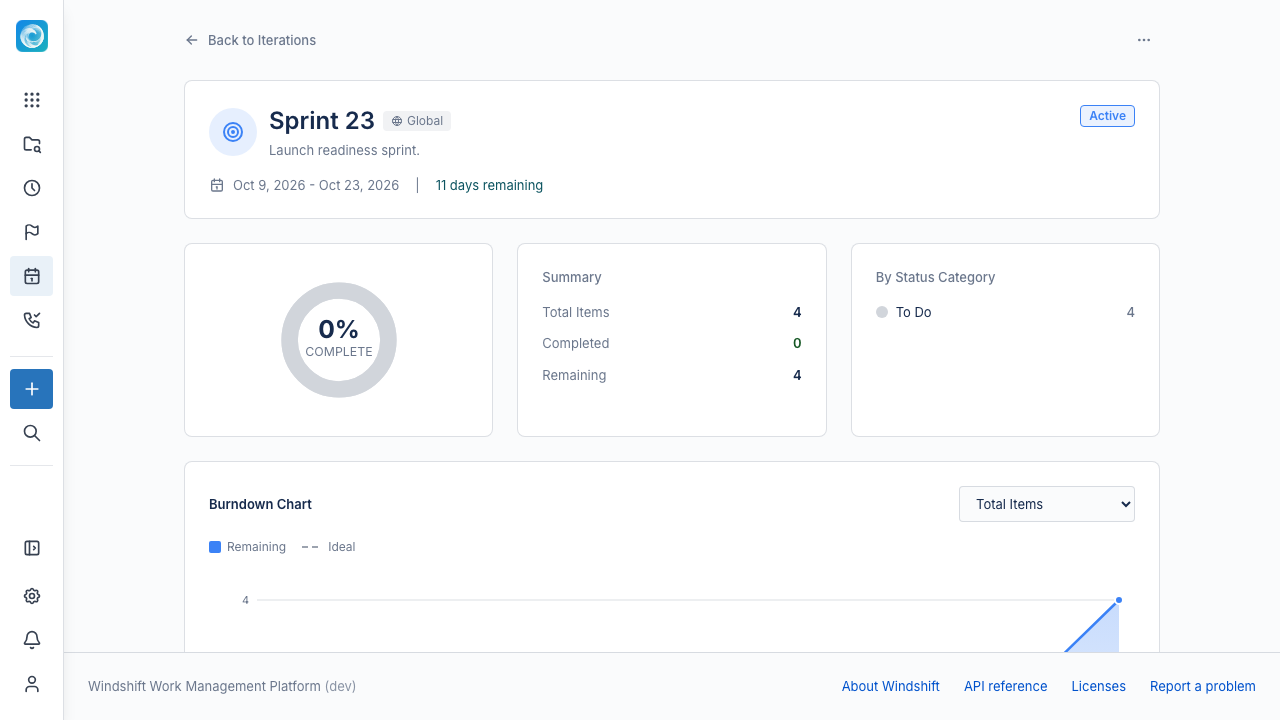
- Total items, completed items, and percent complete.
- A breakdown by status category.
- The work items grouped by category.
- A burndown chart.
Burndown chart
The burndown chart shows remaining work against an ideal line. It rebuilds daily membership, status, and estimates from item history. An unestimated item contributes zero story points.
The ideal line uses the commitment at the end of the first day. Later scope changes move the remaining line but do not rewrite the ideal line, so you can see scope change.
Complete an iteration
Select Complete Iteration to close the iteration. Windshift asks what to do with incomplete items:
- Move to backlog returns them to the backlog.
- Move to another iteration moves them to an iteration you select.
Windshift marks the iteration Completed and moves the incomplete items in one step. Completing an already-completed iteration does nothing and does not move items again.
Analyze dependencies
Open Dependency Analysis from an iteration to look for dependencies between its work items, including across workspaces. Review the suggested links and create them as dependency links.