Global Permissions
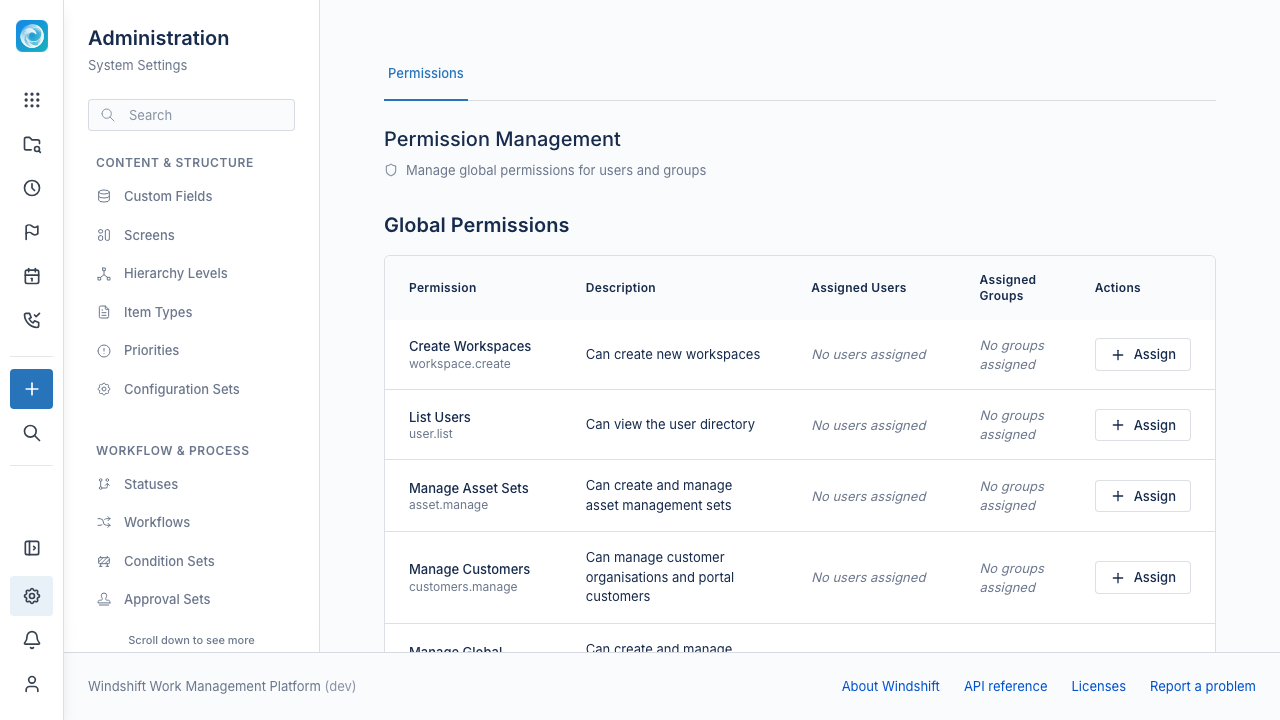
Global permissions control actions that reach across a Windshift instance. Examples include creating a workspace, managing the user directory, and publishing a board. They are separate from workspace permissions, which apply inside one workspace.
Only system administrators can grant and revoke global permissions. A user holds a global permission through a direct grant or through an active group.
Global and workspace permissions
| Global permission | Workspace permission | |
|---|---|---|
| Applies to | The entire instance | One workspace |
| Controls | Cross-workspace and administrative actions | Work inside the workspace, such as viewing, editing, and deleting items |
| Granted in | Admin, then Users & Access, then Global Permissions | Workspace member settings and roles |
| Granted by | System administrators | Workspace administrators |
A user needs both kinds of permission for different tasks. For example, a user with workspace.create can create a workspace, but needs a workspace role to edit items inside it.
System administrator
system.admin is a global permission. The first user created in the initial setup receives it.
A system administrator bypasses every permission check, both global and workspace. The Admin panel and its API routes require system.admin. No other global permission opens the Admin panel.
Windshift does not let you revoke system.admin from the last direct holder. The backend rejects the request. To prevent mistakes, the Admin panel disables the revoke control when only one user holds system.admin.
Grant a global permission
- Sign in as a system administrator.
- Open Admin, then select Users & Access, then Global Permissions.
- Find the permission in the table.
- Select Assign.
- Select User or Group, then select the user or group.
- Confirm the grant.
To revoke a grant, select the remove icon on the user or group chip in the permission row.
A user and a group can both hold the same permission. Group grants apply only while the group is active. A grant or revocation invalidates the permission cache at once, so the API enforces the change immediately. The affected user sees the change in the interface after the next page load.
An API token adds a second check. The token must also carry the scope for the endpoint, such as users:read for the user directory. See the REST API documentation for scopes.
Global permission reference
| Key | Name | What it allows |
|---|---|---|
system.admin |
System Administrator | Full system administration. Bypasses every permission check. |
workspace.create |
Create Workspaces | Create workspaces. Personal Todo List workspaces do not require it. |
milestone.create |
Manage Global Milestones | Create and manage global milestones and milestone categories. |
iteration.manage |
Manage Global Iterations | Create and manage global iterations and iteration types. |
user.list |
List Users | View the user directory. Some shared user lookups, such as mentions and owner fields, also require it. |
asset.manage |
Manage Asset Sets | Create asset sets. See the conditions below. |
customers.manage |
Manage Customers | Manage customer organisations and portal customers. |
project.manage |
Manage Time Projects | Manage all time projects, categories, and worklogs. |
action.set_actor |
Set Action Actor | Configure an action to run as another user. This can reach across workspaces. |
teams.manage |
Manage Teams | Create, edit, and delete teams. |
public_board.manage |
Manage Public Boards | Make collections public and configure public board sharing. See the conditions below. |
Conditions on specific permissions
asset.managecreates asset sets only. Changing an existing set needs the set-level Administrator role, and deleting a set needssystem.admin.public_board.managealso needs theworkspace.adminpermission on every workspace in the board query.project.managealso grants access to customer organisations. It lets a user view organisations and manage their members and managers, but not create, edit, or delete them. Those operations requirecustomers.manage.
How Windshift resolves global permissions
A user holds a global permission when either condition is true:
- The user has a direct grant.
- The user belongs to an active group with the grant.
System administrators hold every permission. Windshift caches permission decisions for up to 15 minutes. A grant change invalidates the cache for the affected users immediately. A group permission change invalidates the cache for all members of the group.
Related documentation
- Projects and Customers lists the time tracking permissions.
- REST API overview explains API token scopes.