Configuration Sets
A configuration set bundles the structure and process that workspaces use. It combines a workflow, screens, item types, priorities, and optional governance rules.
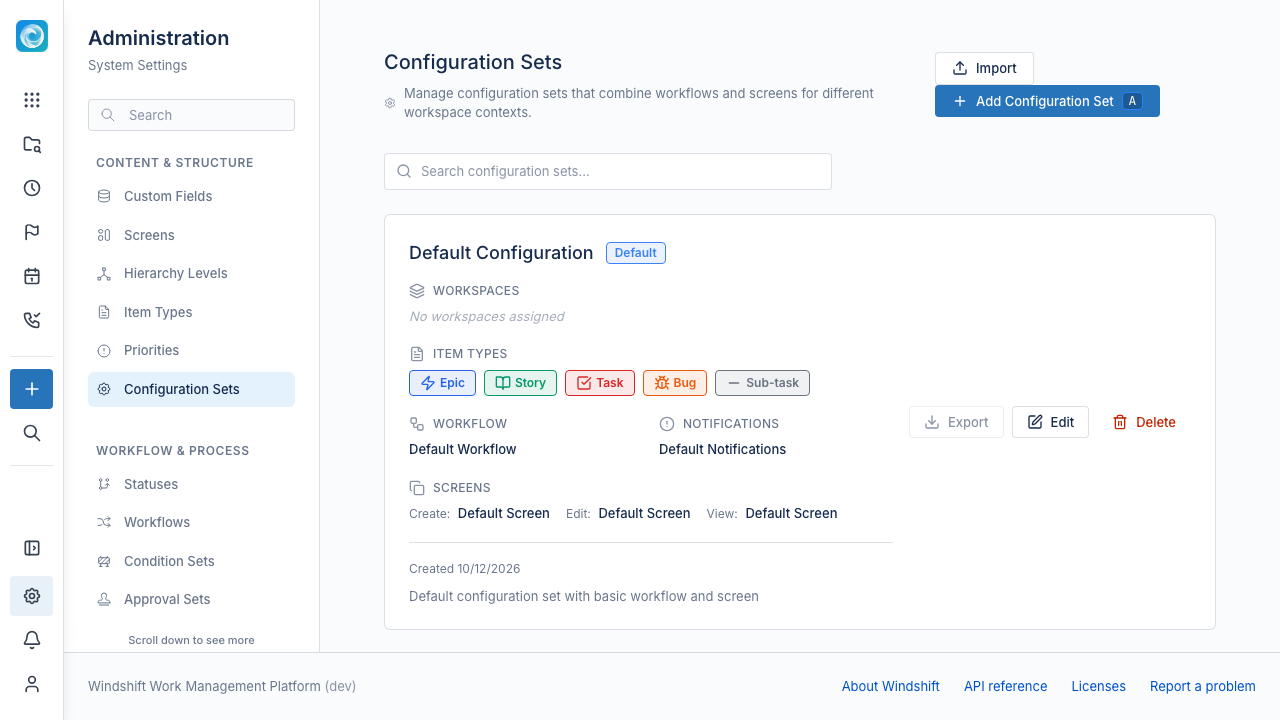
The set contains:
- A default workflow.
- An optional condition set and approval set.
- Notification settings.
- Create, edit, and view screens.
- The item types that workspaces can use.
- The priorities that workspaces can use, and a pre-selected item type for new items.
Only system administrators can manage configuration sets.
The default configuration set
Windshift ships with a default configuration set. A workspace that has no configuration set of its own uses the default. You cannot export the default set.
Assign a configuration set to a workspace
A workspace can have one configuration set. Open the configuration set, select the Workspaces tab, and select the workspaces that use it. The default set does not show this tab.
When a workspace switches to a set that differs from its current set, Windshift analyzes the differences. The new set may not include some item types, custom fields, statuses, or priorities that items use. If so, the change requires a data migration. The migration runs only for a system administrator.
Configure per item type
Turn on Configure per item type to give an item type its own workflow, condition set, approval set, and screens. An item type without an override uses the configuration set defaults.
Import and export
Export a configuration set as a JSON template. Import it on another Windshift instance to reuse the configuration.
On import, Windshift checks references on the target instance. It reports missing users, roles, groups, and status categories. It writes nothing until those references resolve.
Item type migration
A configuration set change can remove an item type that items still use. Windshift then asks you to migrate those items to another item type. The replacement must be at the same hierarchy level. If no other item type exists at that level, the migration cannot run.