Item Types, Hierarchy Levels, and Priorities
These catalogs define what work items look like. Only system administrators can manage them.
Item Types
An item type is a category of work, such as Bug, Story, or Task. Each item type has:
- A name and description.
- An icon and color.
- A hierarchy level.
- A sort order within its level.
- Membership in one or more configuration sets.
One item type is the default for new items when the configuration set has no other default.
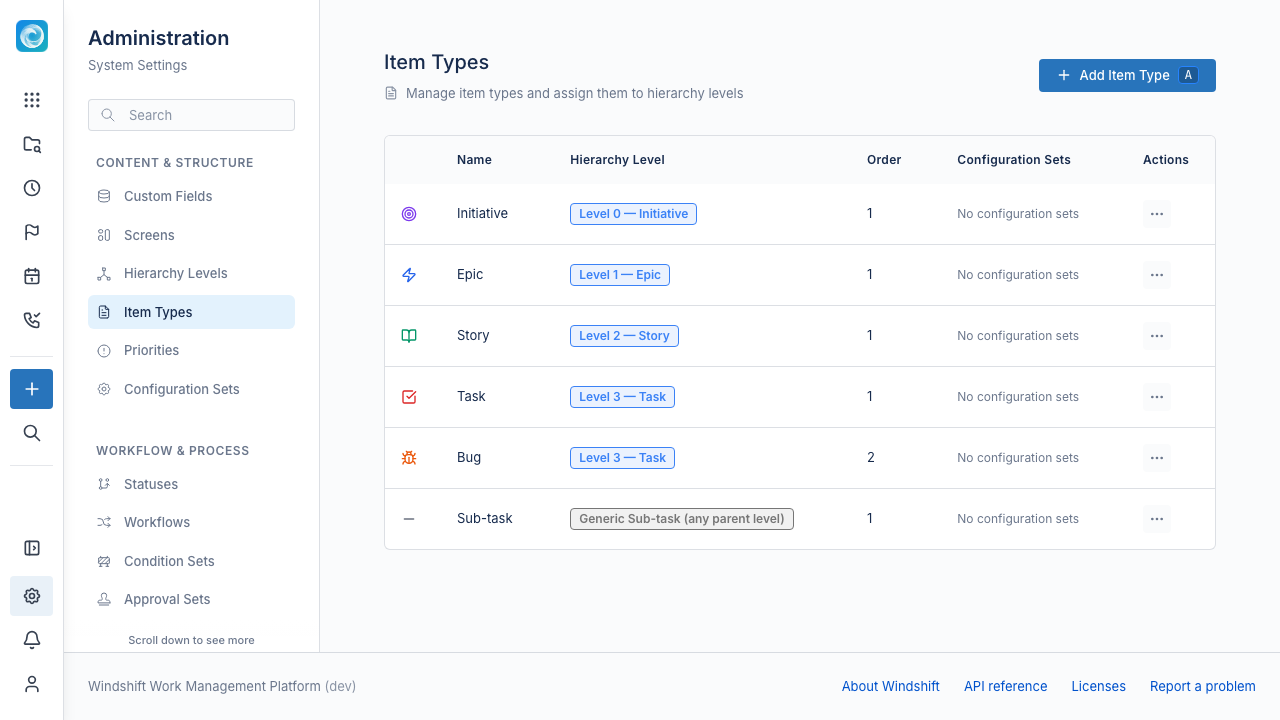
Windshift does not delete an item type that work items still use. The delete request fails until those items move to another type.
Hierarchy Levels
A hierarchy level is a numbered position in the item tree. Windshift numbers levels from 0 at the top.
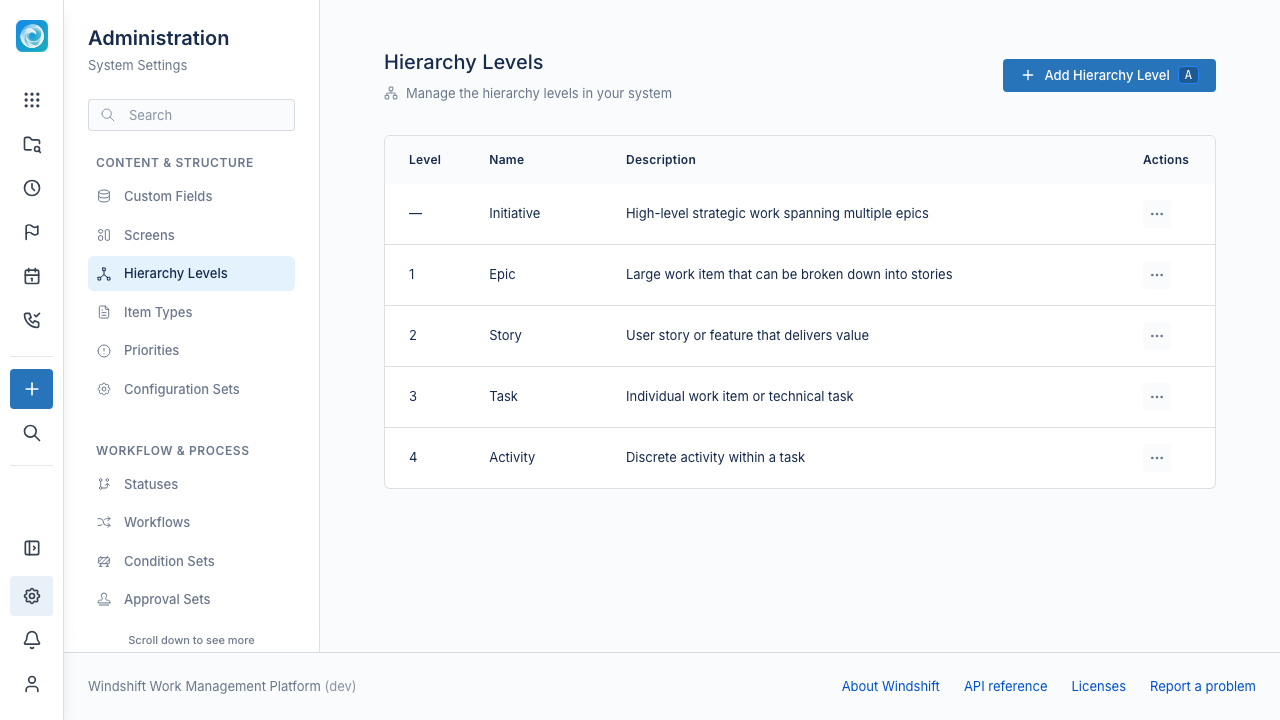
Parent-child placement follows one rule. A child item type must be exactly one level below its parent. A type at level 2 can be a child of a type at level 1. It cannot be a child of a type at level 0 or of another type at level 2.
Windshift also has a generic subtask level with the value -1. A generic subtask requires a regular parent and cannot have children.
Administrators can rename hierarchy levels and change their order. Level 0 stays at the top.
Priorities
A priority is a level of importance, such as Critical, High, Medium, or Low. Each priority has a name, icon, color, and sort order. One priority is the default.
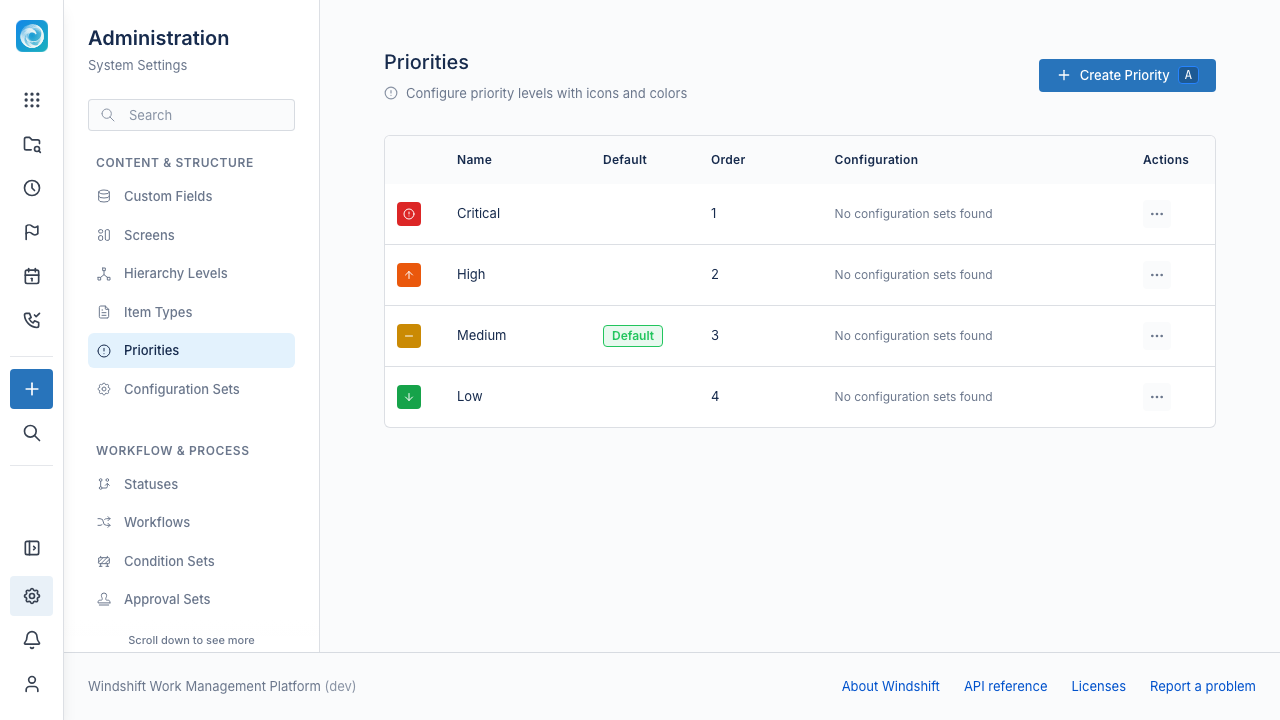
A priority belongs to one or more configuration sets. Users can select only the priorities that the workspace configuration set includes.
Manage the catalogs
- Open Admin, then Content & Structure.
- Select Item Types, Hierarchy Levels, or Priorities.
- Create or edit an entry.
- Save the entry.