Security
The Security page controls feature access, agent service accounts, and sign-in. Only system administrators can change these settings.
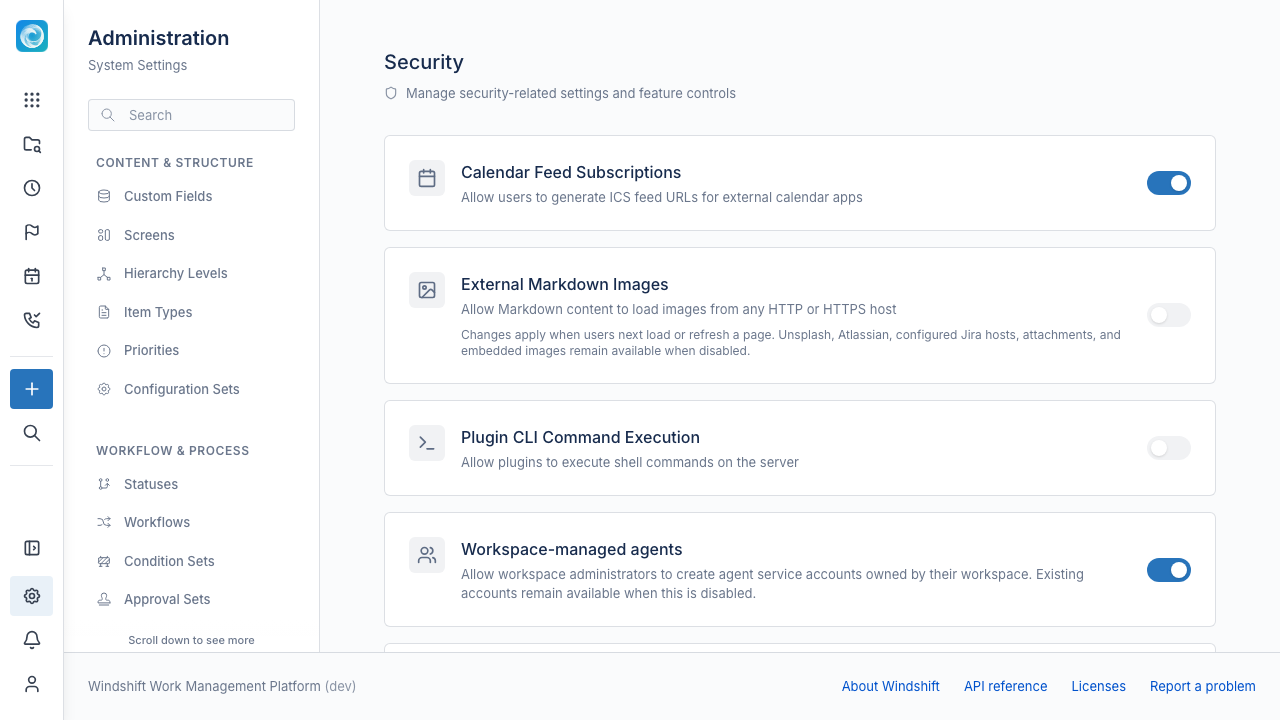
Feature controls
- Calendar Feed Subscriptions: Users can generate ICS feed URLs for external calendar apps. Existing feeds stop working when you turn this off.
- External Markdown Images: Markdown content can load images from any HTTP or HTTPS host. Unsplash, Atlassian, configured Jira hosts, attachments, and embedded images stay available when this is off. Enable it only for trusted authors, because external images can reveal viewer IP addresses.
- Plugin CLI Command Execution: Plugins can run shell commands on the server. Windshift limits commands to the plugin directory. Enable it only if you trust every installed plugin.
Agents
- Workspace-managed agents let workspace administrators create agent service accounts owned by their workspace.
- User-managed agents let users create agents in their profile and issue API tokens for them. You can set an agent limit per user. Set 0 to block personal agents.
- Centralized agent service accounts let workspace administrators bind coding-agent runs to an approved list of accounts. Windshift writes every binding to the audit log.
Sign-in policy
Choose one policy for the instance.
| Policy | Effect |
|---|---|
| Password | Standard password sign-in. When the instance has SSO, users can also use SSO. |
| Password + passkey as a second factor | The user enters a password, then confirms with a registered passkey. Not available when the instance has SSO. |
| Passkey only | The user must use a registered passkey. A password becomes an enrollment credential only. |
| SSO only | The user must sign in through the SSO provider. Requires SSO. |
The page marks the policies that need SSO. Turn on Preview mode to warn users without blocking sign-in.
User statistics
The page shows the total number of users and the number who use SSO. It also shows how many users have a passkey and how many do not. It lists the system administrators separately. When a policy affects users, Windshift lists them.
Administrator fallback
The administrator fallback lets system administrators sign in with a password when the primary method is unavailable. The state comes from the server start options. See Configuration Options for ENABLE_ADMIN_FALLBACK.
Related documentation
- Authentication for SSO, SAML, and LDAP setup.