Workspace Roles
A workspace role is a named set of permissions inside one workspace. Roles decide what a member can do with work in that workspace.
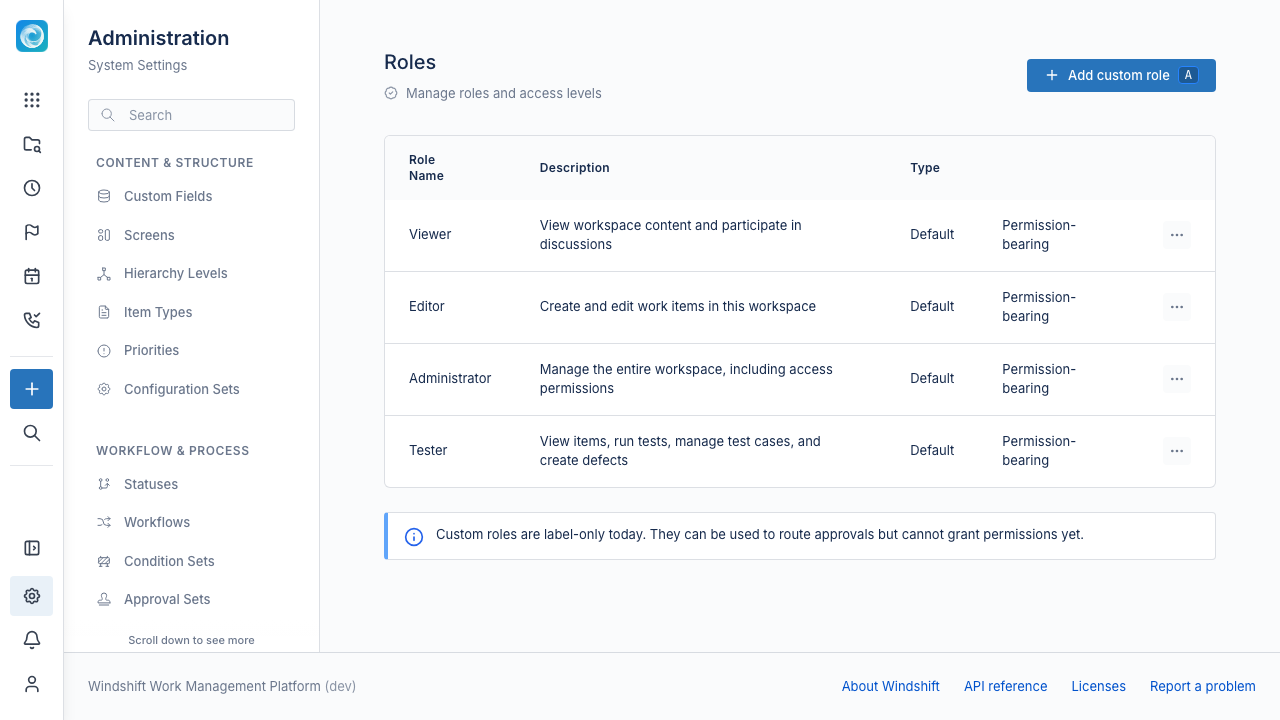
The admin page lists the roles and their permissions. Only system administrators can view it. Workspace administrators assign roles inside a workspace.
Built-in roles
Windshift ships with four system roles.
| Role | Permissions |
|---|---|
| Viewer | View items and add comments. |
| Editor | Viewer permissions, plus create and edit items, and view tests. |
| Tester | View and create items, add comments, and view, execute, and manage tests. |
| Administrator | Full workspace administration, including workspace settings, item deletion, editing other comments, and action management. |
You cannot edit or delete system roles. They are the reference for the permissions available in each role.
The Everyone fallback
With no explicit role assignments in a workspace, every member receives the combined Viewer, Editor, and Tester permissions. This is the Everyone fallback.
Assigning the Viewer role to at least one user or group turns the fallback off for that workspace. After that, only explicit role assignments apply.
Custom roles
You can create custom roles. A custom role is label-only. It can route approvals, but it does not grant permissions. Use a built-in role to grant access.
Assign roles
Workspace administrators assign roles to users and groups in the workspace member settings. A user can hold more than one role. A group role applies to every member of the group.
See Global Permissions for instance-wide permissions.