Email Templates
Windshift sends transactional emails, such as invitations, portal sign-in links, and batched notifications. You can change the subject and body of each email.
Only system administrators can edit email templates.
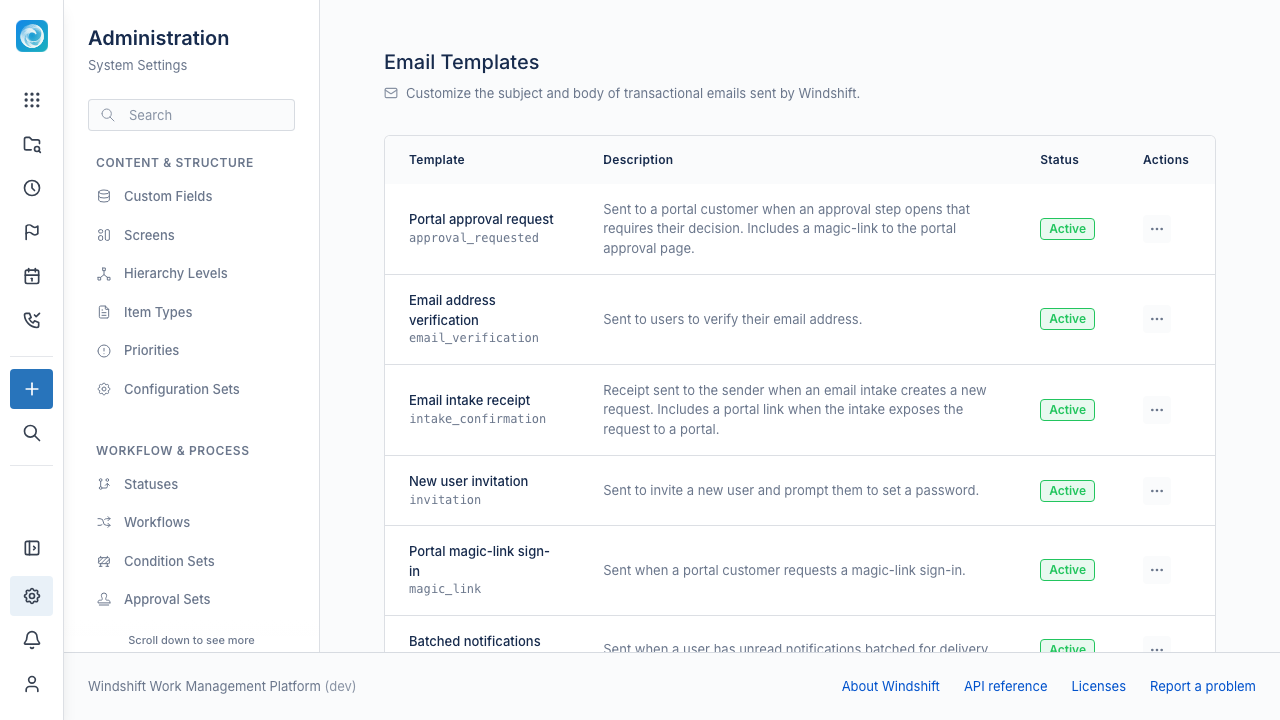
Templates
| Template | Use |
|---|---|
| New user invitation | The message sent when you invite a user. |
| Email address verification | The message that verifies an email address. |
| Portal magic-link sign-in | The sign-in link for portal customers. |
| Batched notifications | The digest of work item notifications. |
| Portal customer reply | A reply on a portal request. |
| Portal approval request | A request for a portal approval decision. |
| Email intake receipt | The receipt for an email that created an item. |
Edit a template
- Open Admin, then Communication, then Email Templates.
- Select a template.
- Edit the subject, HTML body, and plain-text body.
- Select Preview to render the message with sample values.
- Save the template.
Templates use Go template syntax. The editor lists the variables for the selected template. Clear Active to fall back to the built-in default.